
Stronghold Kingdoms Castle Sim
Description
Stronghold Kingdoms Castle Sim: Build Your Medieval Empire
If you enjoy medieval strategy games where a castle is more than a collection of towers and walls, Stronghold Kingdoms Castle Sim offers a much broader experience. The game combines settlement development, castle defense, warfare, diplomacy, research, economics, and online competition into a persistent medieval strategy world.
Created by Firefly Studios, Stronghold Kingdoms takes ideas associated with the Stronghold series and places them into an online multiplayer environment. Instead of managing a kingdom entirely on your own, you share the world with other players whose ambitions can become opportunities, partnerships, or threats.
Stronghold Kingdoms is a medieval MMO real-time strategy game centered on building and developing a personal stronghold while participating in a much larger political and military world.
The castle is an important part of the experience, but it is not the entire game. Your settlement needs an economy, research, defenses, and a long-term plan. At the same time, the surrounding world is populated by other players and AI opponents.
That combination makes the game especially interesting for players who want their castle-building experience to have consequences beyond construction.
Start With a Small Medieval Settlement
Every great kingdom needs a foundation.
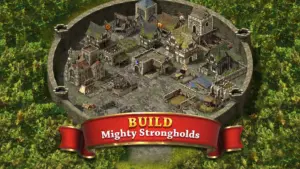
Your early development revolves around establishing a settlement capable of supporting future ambitions. Buildings, resources, research, and defenses all contribute to your progress.
Rather than treating construction as a purely visual activity, the game turns development into a series of strategic decisions. You have to consider what your settlement needs now while preparing for the challenges that may arrive later.
Turn Your Castle Into a Defensive Stronghold
Castle defense is one of the defining ideas behind the Stronghold name.
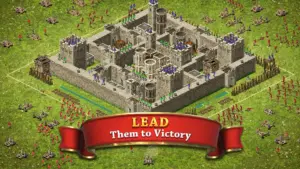
In Stronghold Kingdoms, your fortress is part of your wider strategy. A vulnerable settlement can become an attractive target, while a carefully developed defense can discourage enemies from attacking.
Walls, defensive structures, positioning, and military preparation all become part of the larger challenge of keeping your territory secure.
Defense Is More Than Building Walls
A strong defensive position is not simply about creating an impressive-looking castle.
You also need to consider the resources supporting it, your relationships with neighboring players, and the military capabilities available to you. A ruler who combines physical defenses with smart diplomacy can potentially avoid conflicts that would otherwise become costly.
That is where the castle-sim concept begins to merge with grand strategy.
Develop a Kingdom, Not Just a Castle
One of the biggest attractions of Stronghold Kingdoms is its wider focus.
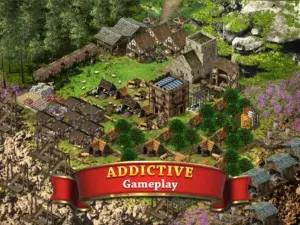
Your ambitions can extend beyond a single fortified settlement. The game allows players to participate in territorial struggles, faction warfare, trade, research, and politics. The official listing describes the experience as a persistent MMO world supporting large-scale cooperation and competition.
This means your castle is essentially the headquarters of a much larger medieval project.
Research Technology and Expand Your Options
Progression is not limited to constructing new buildings.
Research gives your kingdom another route toward development. By improving your technological capabilities, you can open new possibilities for how your settlement and faction operate.
This also supports different player identities.
Some players may prefer an economically focused approach, while others may be more interested in military expansion or political influence. The game’s design accommodates several medieval roles, including trader, farmer, crusader, diplomat, and warlord.
Images
Download links
How to install Stronghold Kingdoms Castle Sim APK?
1.Open the downloaded APK file
Locate the Stronghold Kingdoms Castle Sim APK in your device’s Downloads folder or notification panel and tap it.
2.Tap “Install”
Select the Install option when the installation screen appears.
3.Follow the on-screen instructions
Wait for the installation to finish, then follow any remaining prompts to complete the setup.
Related apps








EXCLUSIVE GAMES
Most viewed Games
Best Rated Games


