Street Drag 2: Real Car Racing
Description
Street Drag 2: Real Car Racing – A Detailed Guide to Speed, Tuning, and Competition
If straight-line speed, detailed car tuning, and competitive racing are what you look for in a mobile game, Street Drag 2: Real Car Racing puts those elements together in one drag-racing experience. Developed by Cerberus Studio, the game combines short, intense races with vehicle customization, multiple progression systems, real-time multiplayer, and performance-focused tuning.
Unlike a traditional circuit racer, where success can depend on cornering and track position, drag racing concentrates attention on acceleration, launch timing, gear changes, vehicle setup, and overall performance. That makes Street Drag 2: Real Car Racing particularly interesting for players who enjoy experimenting with their cars rather than simply selecting a vehicle and racing.
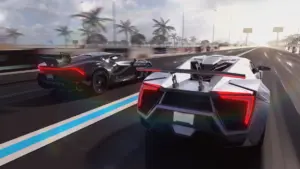
Street Drag 2: Real Car Racing is a mobile drag-racing game built around head-to-head acceleration battles. Players can race through different modes, develop their vehicles, adjust technical settings, and compete against other drivers.
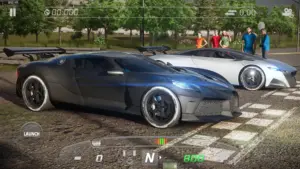
The game also emphasizes presentation. Its 360-degree camera is designed to let players view their cars from different angles, while customization options allow them to change both the mechanical setup and visual appearance of their vehicles.
A Racing Experience Built Around Drag Racing
Short Races With Plenty of Precision
Drag racing may appear simple because the track is mostly about going straight, but small differences in timing and setup can have a major effect on the result. Acceleration, gear selection, traction, and vehicle configuration all become important.
That focus gives each race a different rhythm from conventional racing games. Instead of spending several minutes navigating a circuit, players can concentrate on getting the launch right, shifting effectively, and extracting as much performance as possible from the car.
Choose the Challenge That Fits Your Style
Street Drag 2 provides several racing formats, including Race, Ladder, Tournament, Tier, and Championship modes. Each offers a different way to approach progression and competition.
The Race mode allows players to select factors such as distance and difficulty, making it suitable for straightforward racing sessions. Ladder progression gradually introduces tougher opponents, while Tournament and Championship formats add longer-term objectives.
Explore Multiple Game Modes
Race Mode
Race mode gives you a direct way to get onto the track. Players can select the type of challenge, distance, and difficulty before starting a run.
This format works well when you want to test a new setup without committing to a longer competition. It can also be useful for experimenting with tuning changes and comparing how your vehicle behaves after an upgrade.
Ladder Mode
The Ladder mode introduces a progression-based challenge. As you move upward, the opponents become more demanding, creating a natural reason to keep improving your vehicle.
The increasing difficulty also gives customization a practical purpose. Building a faster car isn’t simply about appearance; your setup needs to keep pace with increasingly competitive opponents.
Tournament Mode
Tournament racing adds another layer of competition. Rather than treating every race as an isolated event, the format connects multiple races into a larger contest.
The game’s official listing describes tournament earnings as accumulating into a prize pot, with the winner taking the overall reward.
Tier Mode
Tier racing focuses on competition between cars within different levels of progression. It provides another reason to keep upgrading and refining your vehicle as you move through the game.
For players who enjoy building a car gradually, Tier mode can make the progression feel like an ongoing project rather than a collection of unrelated races.
Championship Mode
Championship mode adds another progression route by requiring players to qualify for subsequent rounds and advance through the Tiers.
The format gives victories a broader purpose: each successful race can contribute toward reaching the next stage of competition.
Customize Your Car Beyond the Basics
One of the more detailed aspects of Street Drag 2: Real Car Racing is its approach to vehicle customization.
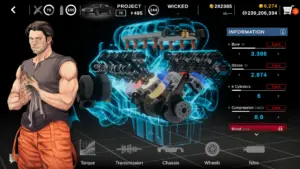
The game provides technical settings covering areas such as the torque curve, mechanical efficiency, drivetrain configuration, and wheel dimensions.
Performance Tuning
These settings allow players who enjoy the technical side of racing to experiment with how their cars behave.
Rather than treating upgrades as simple numerical increases, the tuning system encourages you to think about how different mechanical characteristics work together. A change that looks beneficial in one situation may need to be balanced against another part of the setup.
This makes the garage more than a place for buying upgrades. It becomes an area where players can experiment, compare results, and gradually develop a preferred setup.
Visual Customization
Performance is only one part of the customization experience. Players can also personalize their cars with different wheels, spoilers, decals, and paint colors.
The 360-degree camera complements this feature by allowing you to inspect your vehicle from multiple perspectives.
Real-Time Vehicle Statistics
For players who like numbers and detailed performance information, Street Drag 2 includes statistics that can help explain what is happening with a vehicle.
The game provides information relating to engine power, tractive force, weight distribution during acceleration, estimated quarter-mile performance, and recommended engine RPM for gear changes, among other measurements.
Why Performance Data Matters
Having access to these figures changes the way you can approach tuning. Instead of relying entirely on how a car feels, you can examine its performance characteristics and use that information when making adjustments.
For example, quarter-mile estimates can provide a useful reference when testing a setup, while RPM information can help you understand when gear changes are expected to be most effective.
This combination of racing and data analysis gives the game an additional layer for players who enjoy optimizing their cars.
Images
Download links
How to install Street Drag 2: Real Car Racing APK?
1.Open the downloaded APK file
Locate the Street Drag 2: Real Car Racing APK in your device’s Downloads folder or notification panel and tap it.
2.Tap “Install”
Select the Install option when the installation screen appears.
3.Follow the on-screen instructions
Wait for the installation to finish, then follow any remaining prompts to complete the setup.
Related apps





EXCLUSIVE GAMES
Most viewed Games
Best Rated Games


